
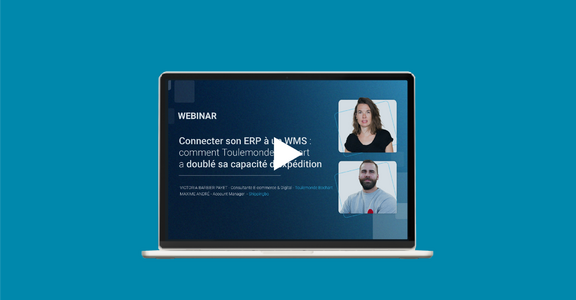
Toulemonde Bochart upgraded its logistics architecture without replacing its ERP system. By connecting its ERP and WMS through the integration between Sage and Shippingbo, the brand has made its workflows more reliable, reduced manual tasks, and doubled its shipping capacity.
At Toulemonde Bochart, the aim was not to replace the existing system in order to modernize “on principle”. The company already had a structuring ERP, used to centralize the customer base, orders, invoices and part of the business management. The real problem lay elsewhere: as flows became more complex, logistics relied on an aging module and an accumulation of manual actions that slowed down execution.
- Why the logistics operation had plateaued
- How ERP-WMS Integration Changed Things at Toulemonde Bochart
- Key Points to Keep in Mind Before Connecting Your ERP to a WMS
The brand, founded in 1949, manufactures its own collections of rugs and carpet rolls. It operates with a team of 25 people, its own warehouse, three stores in Paris, more than 2,000 SKUs, and both B2C, B2B, and international. In this context, continuing to rely on manual processes for order fulfillment, receiving, returns, and part of the information flow was no longer sustainable.
The project carried out with Shippingbo therefore did not involve pitting the ERP against the WMS, but rather connecting the ERP and WMS to restore each tool to its proper role within the architecture.
Why the logistics organization had reached a plateau

Before the project, Toulemonde Bochart used an extension of its ERP system for inventory management and order fulfillment. This module was no longer supported and was set to become obsolete. Most importantly, it could no longer adequately support the company’s growth or the diversity of its workflows.
A highly manual workflow between sales and logistics
In reality, many operations still relied onhuman intervention. Order statuses had to be updated manually, picking slips had to be printed and then forwarded to the logistics team, shipping labels had to be generated manually based on destinations, and documents such as CN23 forms had to be retrieved through multiple back-and-forth exchanges between departments.
The same logic applied to returns and supplier receipts. Information was shared via paper documents, Word files, or direct communication between teams. The sales and operations department often had to act as a middleman to keep logistics moving forward, and vice versa. In other words, the problem wasn’t just technical. It directly affected operational efficiency and the division of roles.
An audit to determine what should remain in the ERP and what should be removed
The turning point wasthe on-sitelogistics audit. Its purpose was not to call the ERP system into question, but to clearly identify its strengths and limitations. The conclusion was simple: it should continue to handle the essential business functions, but everything related toon-the-ground logistics operations needed to be moved out of the ERP.
As Nicolas, Senior Customer Success Manager at Shippingbo, explains, the aim was to “refocus the ERP on what it really knows how to do”, and prevent the teams from becoming “Swiss Army knives” responsible for compensating for the system’s limitations. The logic of the project was therefore to connect Sage to Shippingbo to redistribute responsibilities between the tools, without breaking the existing system.
ERP and WMS: Which System Should Handle What?
The audit conducted at Toulemonde Bochart highlights a key distinction: an ERP and a WMS are not designed to manage the same operations.
The ERP system handles the company’s business processes, while the WMS manages the physical operations of the warehouse. At Toulemonde Bochart, this division is organized around three complementary components.
| System | Primary Role | Example at Toulemonde Bochart |
| Sage ERP | Business Management | Customers, Billing, Purchasing, B2B Orders |
| Shippingbo WMS | Logistics Operations | Receiving, Picking, Returns, Inventory Movements |
| Shippingbo TMS | Transportation Execution | Labels, carriers, shipments |
Connecting ERP and WMS, so it’s not a matter of choosing one tool over the other. It’s about defining each system’s responsibilities and ensuring the automatic flow of information between them.
Connecting ERP and WMS: How the Integration Changed Things at Toulemonde Bochart
The new architecture allowed the ERP to retain control of customer management, invoicing, purchasing, B2B orders, and certain catalog modules. For its part, Shippingbo took over the operational management of the supply chain: receiving, order fulfillment, returns, logistics statuses, and transportation execution.
Automated Workflows to Restore Autonomy to Teams
First structural change: supplier orders created in Sage are automatically synchronized in Shippingbo. When the goods arrive, the logistics team becomes autonomous, using the PDA to check quantities, manage quality and close the reception. Movements are then automatically transferred to Sage, with no need for manual re-entry.
Second change: order fulfillment. B2B orders from Sage are synced to Shippingbo, then sorted into different sessions based on their type: single-conveyor, multi-conveyor, samples, custom orders, destinations, or carriers. The logistics team starts these sessions, prepares the orders, closes them, and the information is automatically sent back to Sage. According to Victoria Barbier Payet, “there’s really nothing left to do” on this end once the workflow is in place.
Third change: returns management. Here, too, paper and Word files are a thing of the past. The reasons for returns are entered directly into Shippingbo; the logistics teams check the condition of the product, return it to the correct warehouse, and the transaction is automatically recorded in Sage to generate a credit memo.
Which data flows are synchronized between Sage and Shippingbo?
ERP-WMS synchronization isn’t limited to inventory. At Toulemonde Bochart, it enables administrative and logistics teams to work with shared information, eliminating the need for multiple manual data transfers.
Here are the main data exchanges described in the case study.
| Flux | Synchronization Direction |
| Supplier Orders | Sage → Shippingbo |
| Receptions and Associated Movements | Shippingbo → Sage |
| B2B Orders | Sage → Shippingbo |
| Statements After Preparation | Shippingbo → Sage |
| Returns and Related Transactions | Shippingbo → Sage |
In practice, a receipt verified on a PDA in Shippingbo can be transferred to Sage without requiring additional data entry. The same principle applies to picking and return information.
The benefit of this ERP-WMS integration lies as much in the reliability of data exchanges as in the increased autonomy gained by the teams.
Doubled shipping capacity and a stronger foundation for the future
The most visible result came quickly: shipping capacity doubled. Toulemonde Bochart went from about 50 to 100 orders per day, with peaks already reaching between 120 and 130 daily orders. For a business that ships heavy rugs—some of which are custom-made—this is no minor operational detail. It’s a real leap forward.
But the gains are not limited to volume. Teams have gained in autonomy, clarity and clarity of role. The sales department can refocus on its core business. Logistics executes with better-defined processes. Stores and other teams can consult the right statuses without being permanently dependent on a single person. As Victoria sums up, “the base is there and everything is running smoothly”.
This new base also opens up other prospects. Toulemonde Bochart is already working on new areas of growth with Shippingbo, including second choice inventory management, international expansion and, eventually, better orchestration between warehouse and stores. Here’s what’s most interesting about this case study: connecting an ERP to a WMS didn’t just correct existing frictions. It made the organization more capable of evolving.
Key Considerations Before Connecting Your ERP to a WMS
The Toulemonde Bochart project highlights four key takeaways for e-commerce companies looking to connect their ERP to a WMS. The starting point isn’t choosing new software, but identifying the operations that are actually slowing down business.
1. Clearly Define the Role of Each System
Before any integration, you must determine which tool is responsible for each piece of information and each operation.
At Toulemonde Bochart, Sage handles business management, while Shippingbo manages logistics operations. This division of responsibilities prevents the same operations from being maintained in two software systems without clear rules of accountability.
2. Map out workflows before connecting the tools
An ERP-WMS integration must be based on a precise understanding of the information being exchanged. Supplier orders, receiving, inventory movements, B2B orders, order fulfillment, and returns: for each data flow, it is necessary to identify the source system, its destination, and the timing of synchronization.
At Toulemonde Bochart, this mapping made it possible to structure the data exchanges between Sage and Shippingbo around the operations actually performed in the warehouse.
3. Prioritize automating data exchanges that require re-entry
The goal is not to automate all operations indiscriminately, but to eliminate manual interventions that slow down order processing. Before the project, the teams at Toulemonde Bochart relied on paper documents, intermediate files, and data transfers between sales and logistics.
Automating goods receipts, preparation statuses, and returns reduced these dependencies and allowed teams to work more directly within their systems.
4. Keep the ERP system if it fulfills its role properly
Implementing a WMS does not necessarily mean undertaking an ERP migration.
At Toulemonde Bochart, Sage continued to meet the company’s business management needs. The limitations mainly concerned logistics operations and the flow of information between departments. Choosing a complementary WMS therefore made it possible to improve logistics without disrupting the entire information system.
The key takeaway: a successful ERP-WMS integration depends first and foremost on a clear division of responsibilities and reliable workflows, rather than on the technology itself.
When ERP gives structure, WMS takes execution forward
The Toulemonde Bochart case illustrates one very concrete point: the right time to connect an ERP system to a WMS isn’t necessarily tied to a revenue threshold or a specific number of orders. The real indicator is when operations become too labor-intensive, information flows poorly, and certain teams become bottlenecks for the entire supply chain.
By restoring Sage to its role as the core business platform and Shippingbo to its role as the logistics execution module, Toulemonde Bochart was able to improve the reliability of its workflows, streamline its processes, and double its shipping capacity.
Watch the full replay:

FAQ
Because an ERP systemmanages business operations but does not always effectively cover on-the-ground logistics operations. A WMS allowsfor better management of inventory, order fulfillment, returns, and shipments.
No. In the case of Toulemonde Bochart, Sage retained its role in customer management, invoicing, purchasing, and part of the B2B operations, while Shippingbo took over logistics operations.
The company was dealing with numerous manual processes, back-and-forth communication between sales and logistics, and an aging Sage module that could no longer keep up with the company’s growth.
Toulemonde Bochart doubled its shipping capacity, increasing from approximately 50 to 100 orders per day, with peaks of 120 to 130 orders per day.
Glossary
ERP
Software that centralizes the overall management of the business, including customers, orders, purchasing, and invoicing.
WMS
warehouse management software that manages logistics operations such as inventory, receiving, order fulfillment, and shipping.
TMS
Transportation management software that helps manage carriers, shipping labels, and shipping workflows.
ADV
Sales Administration: the team responsible for the commercial and administrative tracking of orders.
PDA
Mobile device used in the warehouse to receive, inspect, or prepare products.
SKU
A unique identifier used to distinguish each product reference.
CN23
A customs document used for certain international shipments.
API
An interface that allows two software programs to communicate with each other automatically.