


Benefits of the Mazet x Shippingbo connector

Manage your Mazet shipments more simply from the same tool
Shippingbo generates your Mazet transport documents and centralises execution within a single environment. Less data re-entry, fewer handling steps and a smoother day-to-day process.

Manage parcel and pallet workflows without multiplying tools
Parcels, pallets, product constraints, carrier constraints: your Mazet shipments remain structured in the same interface according to your enabled services and organisation.

Apply the correct Mazet account without manual decisions for every shipment
When your workflows require several label accounts, Shippingbo can apply the correct account according to your destination or shipping-type rules. Your teams gain greater consistency at dispatch.

Maintain better visibility over in-progress shipments
Tracking link, shipping information and carrier management remain centralised in Shippingbo according to your configuration. You follow shipment progress more easily and respond with greater confidence to operational or customer enquiries.
What is synchronised between Mazet and Shippingbo
Synchronization is automatic. Some behaviors depend on order status and enabled options
| Data | Direction | Trigger and/or frequency |
|---|---|---|
| Mazet shipping order | Shippingbo Mazet | When generating the shipment |
| Transport documents / consignment note | Mazet Shippingbo | When generating the shipment |
| Mazet label account | Shippingbo Mazet | When generating the shipment |
| Pallet service | Shippingbo Mazet | According to selected label account |
| Appointment option | Shippingbo Mazet | According to selected label account |
| Shipping cut-off | Shippingbo Mazet | On every shipment generation |
| Mazet tracking link | Shippingbo Mazet | When generating the shipment |
| Sender address in EDI | Shippingbo Mazet | When generating the shipment |
Connection steps: Connect Mazet to Shippingbo in just a few steps
-
1.Scope definition
We validate the workflows to cover with you: parcels, pallets, appointment option, international, multiple accounts and specific management rules.
-
2.Gather prerequisites
We gather the data required for activation: company information, GS1 prefix, Mazet branch details, customer code, goods description and latest collection time.
-
3.Configure accounts and rules
Label accounts are configured according to your operational needs. If required, several accounts are set up to distinguish workflows, services or destinations.
-
4.Testing then go-live
Documents are tested and validated with Mazet before production activation to secure the launch.
The limitations of Mazet without Shippingbo
Without Shippingbo
- Document generation: Data re-entry, manual checks, risk of errors
- Pallet and parcel management: Separate processes, manual choices, accounts that are difficult to manage
- Choosing the correct Mazet account: Manual decisions, risk of incorrect routing
- Shipment visibility: Information scattered across portal, teams and tools
- Managing departure days: Cut-off-related delays, timing errors
With Shippingbo
- Less data re-entry at dispatch
- Workflows that are easier to manage
- Fewer routing errors
- Better shipment visibility
- Better-controlled departures
Advanced Mazet cases: define them before activation
Some workflows require more detailed configuration. We validate them before going live to prevent operational errors.
Pallets and parcels within the same scope
When you ship both parcels and pallets with Mazet, carrier organisation can quickly become more complex. Shippingbo helps structure label accounts and relevant rules to maintain a clear workflow across your different shipment types.
International and different branch codes
For some international workflows, the Mazet branch to use may vary according to destination country or postcode. Where automation is possible, Shippingbo implements the correct rules to make routing more reliable.
Multiple Mazet accounts
If you work with several branches, several accounts or several shipping approaches, day-to-day management quickly becomes heavier. Shippingbo lets you bring this management together in the same interface to keep execution simpler and clearer.
Carrier mapping
When the correct Mazet account depends on a precise business rule, manual decisions can quickly slow operations. Carrier mapping lets you automate this choice in Shippingbo when appropriate.
Reliable, available and secure technology
-
99.99% uptime
and proven cloud infrastructure
-
Geo-replication
and real-time synchronization
-
Continuous updates
without downtime
-
GDPR compliance
and regular audits
-
Proven cloud infrastructure
and regular audits
FAQ - Frequently asked questions
Is Mazet available as self-service in Shippingbo?
No. Setup of the Mazet connector is assisted, with configuration and validation before production.
What prerequisites are required to activate Mazet?
Activation requires company information, the GS1 prefix, Mazet branch information, customer code, a generic goods description and the latest collection time.
Can pallet shipments be managed with Mazet in Shippingbo?
Yes, depending on the selected configuration. Pallet mode can be enabled on the appropriate label account.
Can the appointment option be enabled with Mazet?
Yes, depending on the services and options enabled for your Mazet account.
Can we ship internationally with Mazet through Shippingbo?
Yes, but some countries or postcodes may require a specific branch code. Configuration must therefore be defined upfront.
Can several Mazet accounts be used in Shippingbo?
Yes, when your organisation or workflows require it: pallets, parcels, separate branches or specific destinations.
Their experience is our best advertising
Thousands of clients trust Shippingbo for our technological solution but also our continuous support, nurtured by logistics and e-commerce experts
-
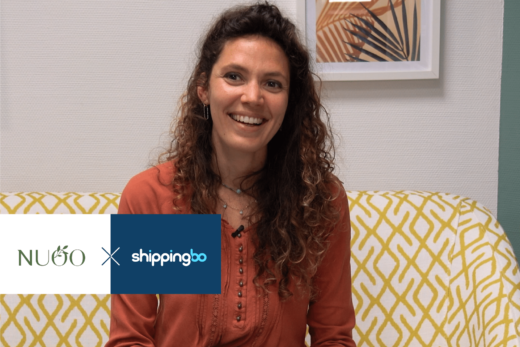
NUOO x Shippingbo: Organize your logistics with 3,000 product references
"Shippingbo is an essential building block in the smooth running of our logistics."
See the testimonialDNVB -

So Shape x Shippingbo: Logistics for customer satisfaction
"Our greatest success is customer satisfaction".
See the testimonialDNVB -

Ripaton x Shippingbo: integrating the value chain in the warehouse
"Logistics is really the heart of a company".
See the testimonialE-merchantDNVB