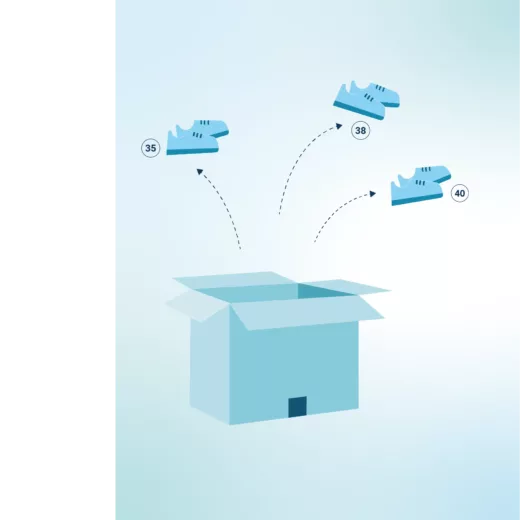
No longer choose between selling a kit or its components
Receive your kits already assembled and manage them as unique references. Missing a component? Explode a kit in seconds from the PDA and ensure the continuity of your sales effortlessly.
Add a kit to your product catalog
From the platform, create a "kit" type product sheet for each batch received. Assign it a dedicated SKU and centralize all its logistical data to manage it like any other reference in your catalog.

Configure your stock strategy
Shippingbo offers you two main modes of synchronization between kits and their components: independent management or virtual valuation. For the latter, you can use the "stock potential kitting" mode, influencing your order-picking management.

Visualize and manage your stock levels
Keep a consolidated view of your stock levels by enabling "potential" stock to be taken into account for your kits. This enables you to view the components available within your kits, without having to physically break them down.

Prepare or pop automatically if required
Missing a component for an order? Directly from the PDA, an operator can scan a kit, select the quantity to be burst, and the components are instantly reinjected into the unit stock, ready to be picked.

FAQ : Process Kitting logistics
Can I create or assemble kits in the warehouse?
No, this feature manages kits already assembled by your suppliers. It allows you to treat them as a single part number or to break them up, but does not manage warehouse assembly.
What happens if a kit component is unavailable during preparation?
Don’t worry, Shippingbo allows you to manually trim an existing kit via the PDA. In just a few clicks, you can transform the kit into individual products.
Does the system offer automatic bursting?
No. Dislodging is a voluntary action by the operator to maintain control of your logistics and adapt decisions to the precise context of the field.
Can I view the components without tearing the kit apart?
Yes, it’s possible, thanks to the “stock potential kitting” mode. This option values the stock of components contained in kits, giving you a complete overview without any physical action.